Define Your Work Modes (And Set Your Communication Tools to Match)
Most business owners spend their entire day in one mode: reactive. Work modes give you a framework for switching between execution, planning, and client time intentionally, so your tools and focus match what you're actually trying to do.
You're on a call with a client. Your phone buzzes with a voicemail notification. Slack pings. An email comes in that looks urgent. You finish the call, check the email, respond to Slack, listen to the voicemail, and now 40 minutes have passed. You were supposed to be working on that proposal.
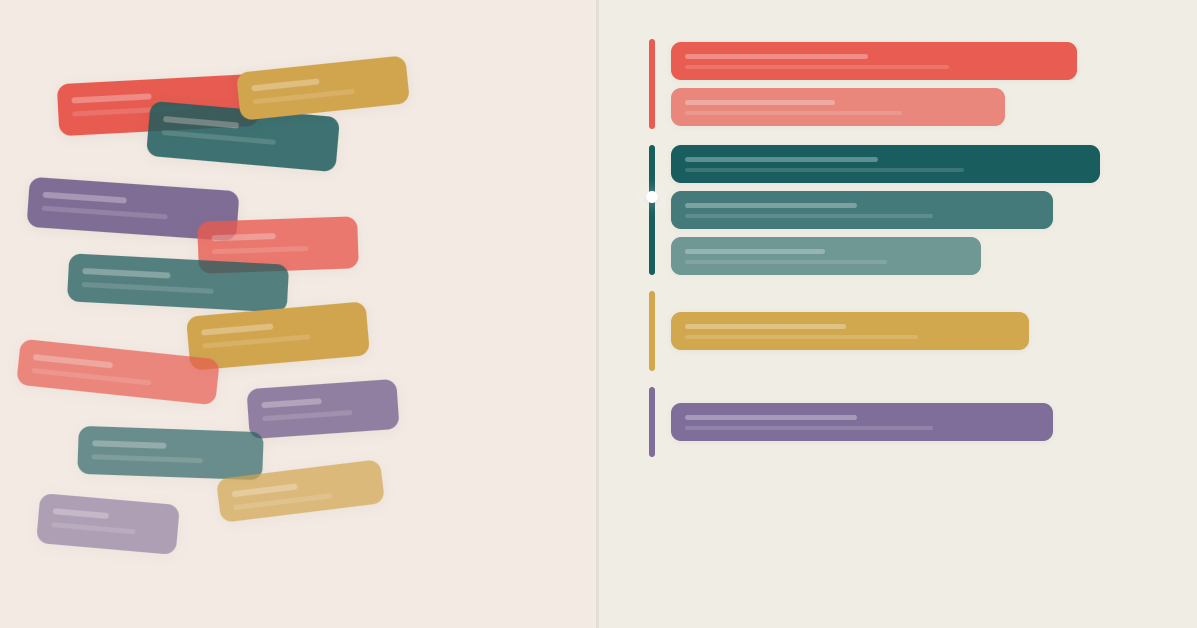
This is how most small business owners operate. Not because they're disorganized, but because they never decided what kind of work they're doing at any given moment. Everything is happening at the same time, all day, with no boundaries between tasks that require completely different types of attention.
There's a concept from Swedish work culture that's worth stealing. The idea is simple: define distinct "modes" for your workday, each with clear rules about what you focus on, what you ignore, and how your tools should behave. Instead of being available for everything all the time, you're intentional about what gets your attention and when.
The Problem With Being Always-On
When you don't define your work modes, you default to one mode: reactive. Whatever comes in, you deal with it. The phone rings, you answer. An email arrives, you read it. A team member has a question, you stop what you're doing.
This feels productive. You're busy. Things are getting handled. But nothing is getting your best attention because everything is splitting it.
Cal Newport calls this "context switching," and research backs up what you already feel. A University of California Irvine study found it takes an average of 23 minutes to fully refocus after an interruption [1]. If you're getting interrupted five or six times an hour, you're never actually reaching full focus. You're skimming across the surface of your day.
For a small business owner, this is especially brutal. You're not just doing one job. You're doing sales, operations, customer service, and strategy, often in the same morning. Without structure, the loudest thing wins. And the loudest thing is rarely the most important thing.
What a Work Mode Actually Is
A work mode is a block of time where you've decided three things in advance:
- What you're focused on. Not a vague intention. A specific type of work.
- What you're ignoring. This is the hard part, and the part that makes it work.
- How your tools should behave. Phone, notifications, messaging. All configured to support the mode you're in.
Here's what a set of work modes might look like for a typical SMB owner:
Client Mode
This is when you're available and engaged with customers. Calls come through, you're responsive, you're in "service" mode.
- Phone lines are open, calls ring directly to you
- You're checking messages and returning calls quickly
- Internal team stuff can wait
Build Mode
This is deep work. Writing proposals, building a process, working on the thing that moves the business forward but never feels urgent.
- Phone goes to your auto-attendant or a teammate
- Notifications are off
- Voicemails get transcribed so you can scan them later without breaking focus
- You're unreachable for 60 to 90 minutes, and that's the point
Review Mode
This is when you zoom out. Look at what happened today or this week. Read call summaries. Check analytics. Spot patterns.
- Review AI-generated call transcripts and summaries
- Look at missed calls and decide which need follow-up
- Check what your team handled while you were heads-down
- Plan tomorrow based on real data, not gut feeling
Admin Mode
The necessary stuff. Invoicing, scheduling, emails, returning non-urgent calls. You batch it instead of letting it leak into everything else.
- Work through your callback list
- Handle internal coordination
- Process the inbox
- Keep it contained to a defined block so it doesn't eat your whole day
Why the Tools Part Matters
Defining your modes is only half of it. If your phone still rings during Build Mode, you haven't actually changed anything. You've just written a nice plan that reality will ignore.
The real power comes from configuring your communication tools to enforce your modes. When you flip into Build Mode, your calls should automatically route somewhere else. When you're in Review Mode, you should be able to pull up a clear view of every call, transcript, and summary from the day without digging through three different apps.
This is where most setups fall apart. People try to manually manage their availability, toggling DND on and off, telling teammates "don't call me for the next hour." That's friction, and friction means it won't last.
At Tonet, we think about this a lot. Call routing, auto-attendant, voicemail transcription, AI call summaries. These aren't just features. They're the infrastructure that makes work modes actually stick. Your phone system should adapt to how you're working, not the other way around.
How to Set Up Your Modes
Start simple. Don't build a color-coded spreadsheet. Just answer these questions:
1. What are your 3 to 4 types of work? Most people have some version of client-facing, deep/creative, review/planning, and admin. Yours might be different. Name them.
2. When does each one happen best? Client Mode probably fits mid-morning when energy is high and people are calling. Build Mode works early morning or right after lunch. Review Mode is a great end-of-day habit. Admin gets batched into a single afternoon slot.
3. What should your phone and notifications do in each mode? This is where it gets concrete. Write it down. "In Build Mode, calls go to auto-attendant, voicemails get transcribed, Slack is closed." Make the rules specific enough to follow without thinking.
4. Tell your team. If people know your modes, they'll respect them. "I'm in Build Mode until 11" is way more useful than "I'm busy." It sets expectations and gives them a clear window for when you'll be available.
If you've read our post on daily behaviors that move the needle, work modes are the structure that protects those behaviors. You identified your three to five most important daily actions. Modes make sure they actually get your best hours, not whatever time is left over.
Start With One Mode
You don't need to redesign your entire day. Start with one mode. For most people, the highest-impact starting point is Build Mode, because that's the one that never happens naturally. Client calls, emails, and admin will always find a way into your day. Focused, proactive work won't happen unless you protect it.
Block 90 minutes tomorrow morning. Route your calls. Close your inbox. Do the thing that actually grows the business. See how it feels.
If you do this consistently for a week, you'll wonder how you ever operated without it. Not because it's complicated, but because you'll finally see how much you were getting done before versus how much you can get done when your attention isn't being pulled in four directions at once.
Your day shouldn't be one long, unstructured reaction to whatever comes in. Define the modes. Set the rules. Let your tools enforce them. Then just work!
Sources:
[1] Mark, Gloria, Daniela Gudith, and Ulrich Klocke, "The Cost of Interrupted Work: More Speed and Stress," Proceedings of the SIGCHI Conference on Human Factors in Computing Systems (2008). University of California, Irvine.